How to Choose the Best Paper Thermal Printer for Your Needs?
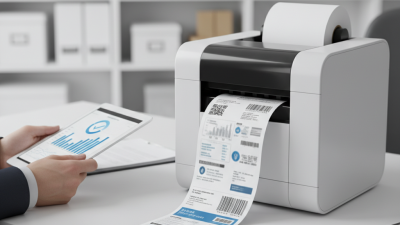
Choosing the right Paper Thermal Printer can feel overwhelming. Experts like John Anderson, a leader in printing technology, emphasize, "The right printer can save time and resources." Understanding your specific needs is crucial in this selection process.
Every business has unique requirements. For some, speed is vital, while for others, print quality takes precedence. A good Paper Thermal Printer should align with these needs. Many models come with varying features and capabilities. This diversity can create confusion, leading to poor choices.
It’s important to reflect on what you truly need. Does your business print labels, receipts, or tickets? Are you facing frequent breakdowns with your current model? Knowing these details can guide your decision. In the end, the best Paper Thermal Printer is one that fits your operational demands while providing reliability and efficiency.
Understanding the Types of Thermal Printers: Direct vs. Transfer
When selecting a thermal printer, understanding the two main types is crucial:
direct thermal and thermal transfer.
Direct thermal printers use heat-sensitive paper. They print by applying heat directly, creating images without ink.
This method is suitable for printing receipts and shipping labels. However, the prints can fade over time, especially when exposed to heat or light.
Consider how long you need the printouts to last.
On the other hand, thermal transfer printers use ink ribbons. They produce more durable prints,
ideal for labels that need to endure harsh conditions. The prints are smudge-proof
and water-resistant, making them suitable for long-term use. However, they require
additional supplies, like ribbons, which may increase the overall cost.
Tips: Think about your specific needs. If you print often and need durability, thermal transfer may be better.
Always evaluate your printing volume to avoid ink ribbon shortages. Keep in mind that direct thermal printers save on
consumables but might lead to fading over time. Whichever type you choose, ensure it aligns with your usage patterns
and print longevity requirements.
Key Features to Consider When Selecting a Paper Thermal Printer
When choosing a paper thermal printer, key features matter. First, consider the print resolution. A higher resolution offers better clarity. If you often print detailed images, this is crucial. Check the speed as well. Some models can print many receipts in seconds. However, speed doesn’t always guarantee quality.
Portability is another factor. If you need a printer for events or in multiple locations, a lightweight option is best. Battery life becomes essential here. Long-lasting batteries save you from interruptions. Compact designs are often more portable but might lack features.
Connectivity is vital too. Many modern printers offer Bluetooth or Wi-Fi. This allows for easy connections to mobile devices. However, some users find setup tricky. Reflect on your needs carefully. Each feature has pros and cons that could impact your workflow.
Evaluating Print Speed and Quality: Industry Standards Explained
When selecting a paper thermal printer, print speed and quality are critical factors. Industry standards indicate that a good thermal printer should have a print speed of at least 50 mm per second. Many models exceed this, reaching speeds of 200 mm per second. However, faster does not always mean better quality. Print quality must also be evaluated. A printer that operates at 203 DPI offers good clarity for most applications. But for detailed graphics, 300 DPI can be essential.
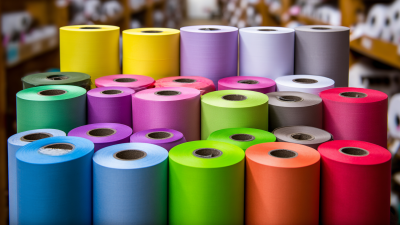
High-quality paper is equally important. It can drastically affect the durability of the print. Studies show that prints on high-quality thermal paper endure up to 10 years without fading. On the other hand, using cheaper paper might yield faded results in just a year. Balancing speed and quality requires thought. Sometimes, a slower printer might provide superior prints. This is especially true when dealing with vital documents where clarity matters.
Moreover, user experience plays a role. Some users report frustration with setup processes that are too complex. Others mention the frequent need for maintenance in certain models, which can hinder efficiency. These concerns highlight the importance of thorough research before making a decision. Inspecting user reviews and professional assessments could reveal common pitfalls. Understanding these nuances can guide one toward making a more informed choice.
Assessing Cost Efficiency: Initial Purchase vs. Running Costs
When choosing a paper thermal printer, cost efficiency is key. The initial purchase price often attracts buyers. However, ongoing operational costs can quickly add up. According to industry reports, thermal printer ink costs can be ten times higher than the initial purchase in some cases. This means careful consideration is vital.
Operational costs vary based on usage. For small businesses printing invoices or receipts, a lower initial cost may be attractive. Yet, if print volume increases, hidden costs emerge. A report from the Imaging Solutions Group highlights that daily printing of high volumes can lead to excessive roll costs. This reality often surprises many users, leading to unforeseen expenses.
Potential buyers should evaluate long-term needs. Consider not only purchase price but also paper roll costs. A printer may seem affordable upfront, but running it could exceed your budget. Review print quality and speed too. Often, a slightly higher initial investment in a reliable model can yield savings over time. It’s essential to balance the initial costs with long-term efficiency. A smart choice today can pave the way for greater savings tomorrow.
How to Choose the Best Paper Thermal Printer for Your Needs? - Assessing Cost Efficiency: Initial Purchase vs. Running Costs
| Printer Model |
Initial Purchase Cost ($) |
Average Running Cost per Roll ($) |
Average Monthly Usage (Rolls) |
Estimated Annual Running Cost ($) |
Total First-Year Cost ($) |
| Model A |
200 |
10 |
5 |
600 |
800 |
| Model B |
150 |
8 |
10 |
960 |
1110 |
| Model C |
250 |
12 |
8 |
960 |
1210 |
| Model D |
300 |
15 |
6 |
1080 |
1380 |
Compatibility and Connectivity: Ensuring Printer Meets Your System Needs
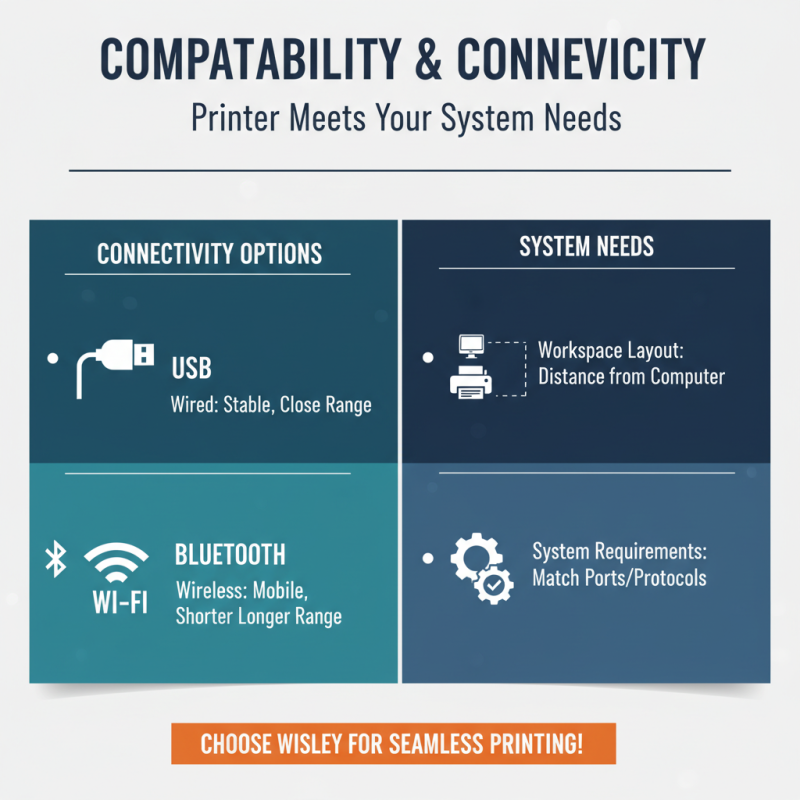
When choosing a paper thermal printer, connectivity is vital. Ensure it matches your system requirements. Many printers connect via USB, while others offer Bluetooth or Wi-Fi options. Think about your workspace's layout. If your printer sits far from your computer, wireless options may be more convenient. However, wired connections can be more stable.
Also, examine compatibility with your operating system. Some printers work well with Windows but struggle with Mac or Linux. Check for drivers and software updates. If a printer isn't compatible, it can waste time and effort. It's frustrating when a new printer comes home, but won't work with your existing devices.
Don't forget to consider any specific applications you need. Some thermal printers excel in printing receipts, while others are better for labels. Your choice should align with your typical tasks. Reflect on how you will use the printer daily. Sometimes, features may look appealing, but they often come at a higher price. Balance your needs with your budget.